
Sign in to your study.
ECS® is where the research staff run a study day to day. Participants take part through LucaH®, the participant app.
Research staff
ECS® is where the research staff run a study day to day.
Access is provisioned per study. Research staff receive credentials from the study team when the site is activated. If you don't have credentials yet, contact your study team.
Everything happens in LucaH®
Your visits, diaries, questionnaires and televisits live in LucaH® – there is no web login.
How LucaH® worksTaking part in a study? Get LucaH®.
LucaH® is the app your study team asks you to use: the single place where a study reaches you, wherever you are. You don't need a computer and there is no web login – everything happens in the app on your phone.

Use the study code provided by your site. Where the study allows, a caregiver can be granted proxy access.
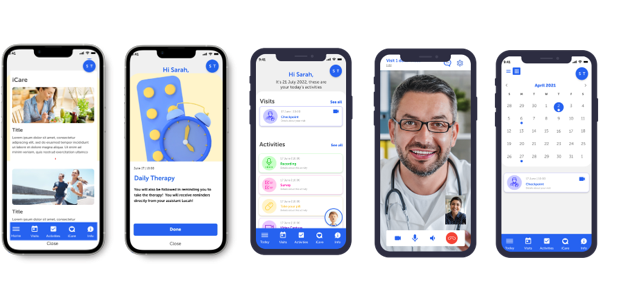
- Your study schedule
Visits, windows and reminders, so you always know what is next and when.
- Diaries and questionnaires
Complete your diaries and outcome questionnaires in a few taps, from home.
- Televisits
Meet your study team by secure video when the protocol allows a remote visit.
- Devices and readings
Connected devices send readings straight into the study, with no paperwork.
Can't get in?
- Forgot your password
Reset it from the page below; you don't need to reach the sign-in screen first.
Reset your password - Account locked, new device, or credentials never received
Researchers, sites and sponsors: contact your CRA, study contact or project manager — they provision and restore access. Participants and caregivers: contact the site that enrolled you.
- Research staff
Contact your CRA or study contact — they provision and restore access.
- Participants
Contact the site that enrolled you.
- Sponsors
Contact your project manager.
Never share credentials. ECS® is validated to 21 CFR Part 11: every action is attributed to a named user, and a shared login breaks that attribution.
